
Toyota transmission cooler fan adapter

Also in: Off Road adapters

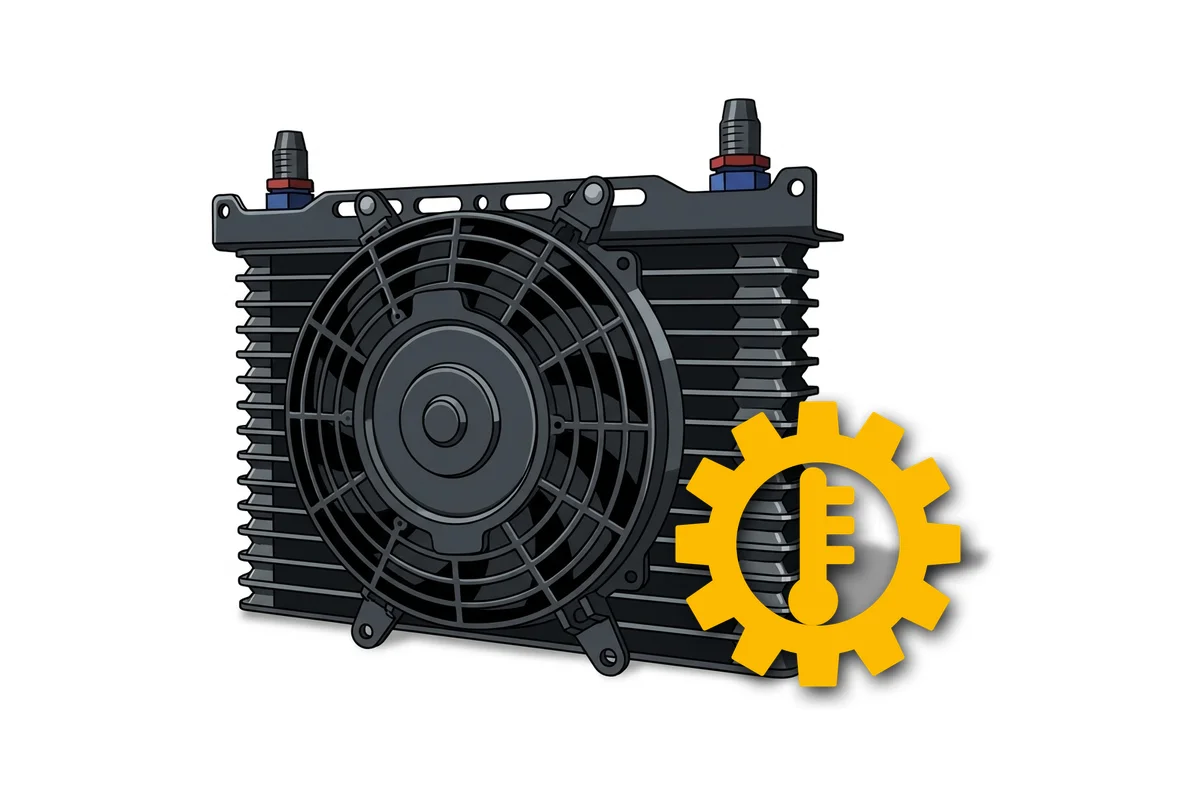
Turns on the fan of an auxiliary Toyota transmission oil cooler by the temperature from the stock sensor — the transmission does not overheat: Land Cruiser 200, Prado 150, 3UZ, 2GR.

The adapter turns on the fan of the auxiliary transmission oil cooler when the oil has heated up and turns it off when it has cooled down — the transmission does not overheat on long climbs, when towing a trailer and off-road. It takes the temperature from the stock sensor in parallel with the ECU: the wiring is not cut, the transmission works as before. Suits the A750, A760, AB60 transmissions (Land Cruiser 200, Prado 150, 3UZ with the 6AT automatic, 2GR, 3GR, 4GR engines) and the A650 (3UZ with the 5AT automatic). If the sensor stops responding, the fan turns on by itself. The thresholds and the transmission sensor are set up in the GoSwap app from a phone over a USB Type-C cable.

Download PDF

Connection

13 +IGN

Red

+IGN — +12 V from the ignition switch — positive with the ignition on

1 GND

Black

GND — to pin E1 of the ECU — the ground of the control unit itself

7 OUT1[—]

Yellow

RELAY — to the coil of the transmission oil cooler fan relay — the other coil terminal to +12 V

Connect through a relay!

Low-side output — switches to ground. Output polarity can be changed with a jumper.

8 OUT2[—]

No wire

RELAY 2 — to a second fan relay — repeats RELAY [7]

Connect through a relay!

No wire from the factory — fitted on site if a second relay is needed. Low-side output — switches to ground. Output polarity can be changed with a jumper.

17 IN1[—]

Blue

FORCE — to a button or switch in the cabin — its second terminal to ground

Optional: while the wire is grounded, the fan runs at any temperature. Active-low input — triggers when shorted to ground. Input polarity is set by a jumper.

23 ADC2[+]

No wire

ATF2 — backup temperature sensor input

No wire from the factory: the ATF wire is moved here from socket 24 only if the main input does not see the sensor. How to switch to the backup input.

24 ADC1[+]

Yellow-green

ATF — to the signal wire of the stock transmission oil temperature sensor — in parallel with the ECU

The stock sensor and its wires to the ECU stay as they are — nothing needs cutting.

[—] — output switches to ground · [+] — input triggers from +12 V

Not used: 2–6, 9–12, 14–16, 18–22.

Wire colors may differ between batches — go by the pin number.

Connection order

  1. 1Connect ground GND [1] to pin E1 of the ECU and power +IGN [13] — to +12 V from the ignition switch. Ground must go to E1: the adapter reads the same sensor as the ECU, and the two must share a common zero; with ground on the body or a separate stud the temperature reading drifts.
  2. 2Temperature sensor ATF [24] — to the signal wire of the stock transmission oil temperature sensor, in parallel with the ECU. The sensor stays in place, the factory wiring to the ECU does not need cutting — the ECU keeps measuring as before.
  3. 3Fan relay: RELAY [7] — to the coil of the cooler fan relay, the other coil terminal — to +12 V. The fan is powered through the relay contacts, do not connect it directly to the adapter. The relay is not included with the adapter. RELAY 2 [8] repeats RELAY [7] — for a second relay; there is no wire for it in the harness, it is fitted on site.
  4. 4Forced switch-on — optional. FORCE [17] — to a button or switch in the cabin, its second terminal — to ground. While FORCE [17] is grounded, the fan runs at any temperature and with any settings.

Jumpers

OUT jumpers

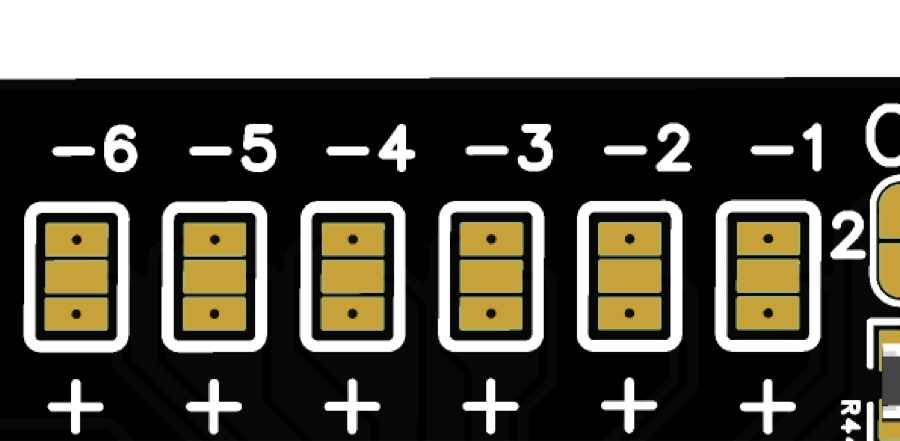
OUT [+] / [—] jumpers change the polarity of the output signal: [+] — the output supplies +12 V, [—] — it pulls the pin to ground.

From the factory both outputs, RELAY [7] and RELAY 2 [8], are soldered low-side — they switch the relay coil to ground, nothing needs changing.
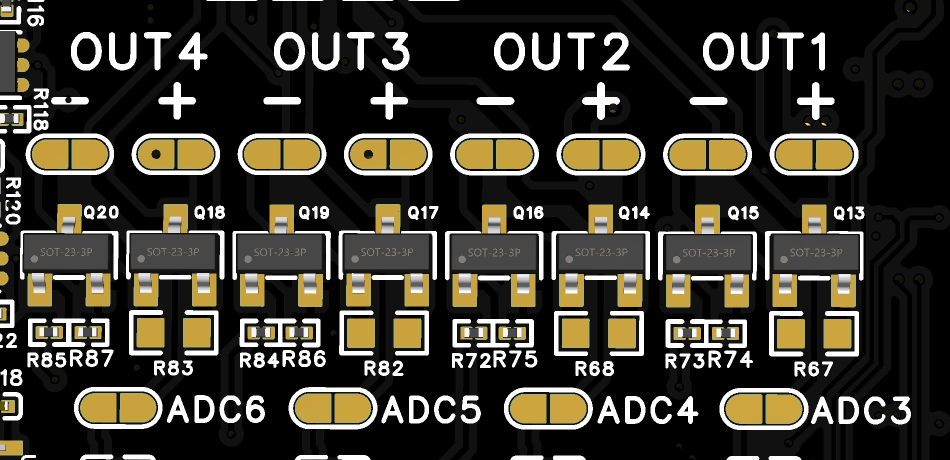
IN jumpers

IN [+] / [—] jumpers change the polarity of the input signal: [+] — the input triggers on +12 V, [—] — on a short to ground.

From the factory input FORCE [17] is soldered active-low — it triggers when shorted to ground, nothing needs changing.

All board jumpers

Setup

The adapter is set up in the GoSwap app from a phone over a USB Type-C cable. Everything is on one “Settings” screen: at the top — tiles with what the adapter sees right now, below — the settings. Changes are sent to the adapter with the “APPLY” button at the bottom of the screen — the number on it shows how many settings have changed. A new value takes effect at once, the adapter does not need a restart.

  1. 1

    Connect the phone.

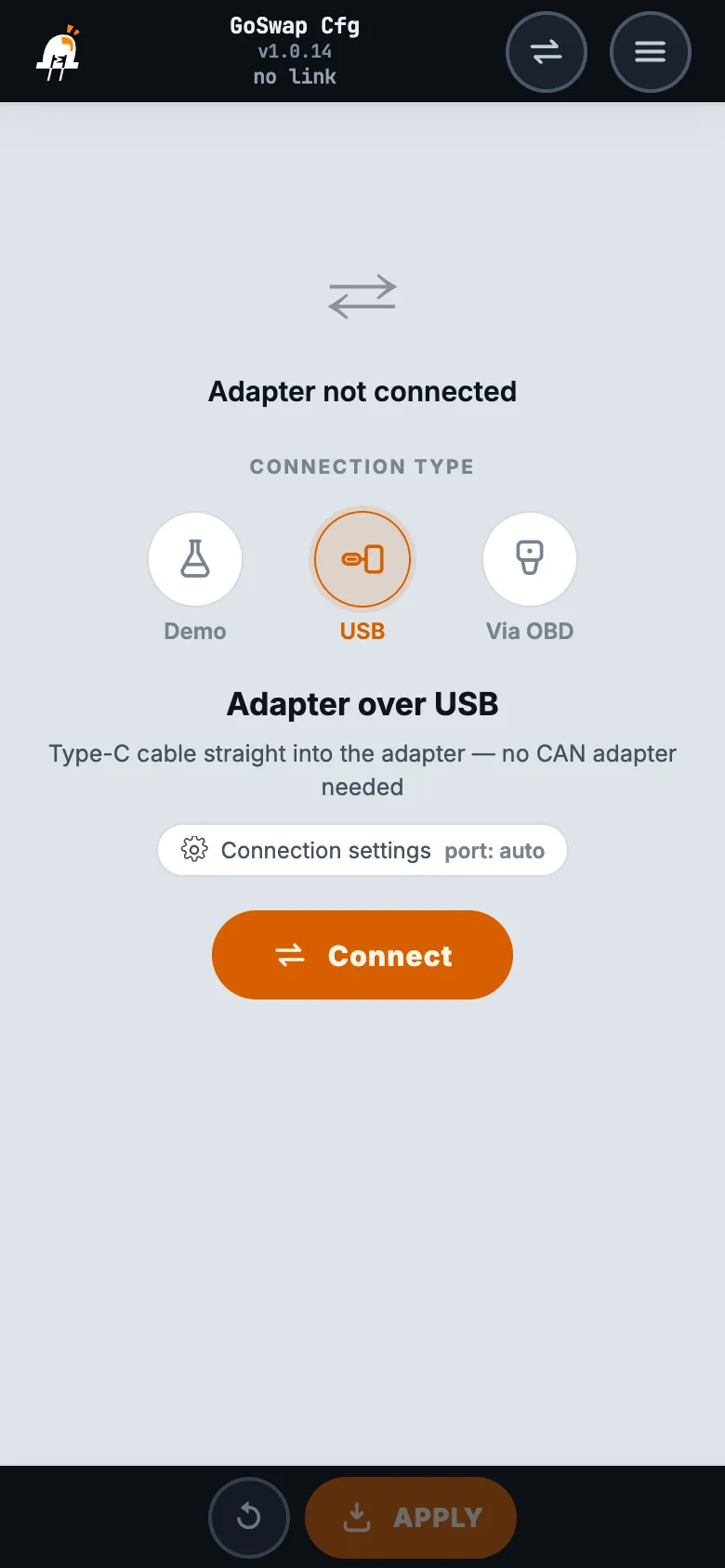
    Install the GoSwap app — app page. Turn on the ignition, connect the phone and the adapter with a USB Type-C cable — one that carries data, not a charge-only one — choose “USB” in the app and tap “Connect”.

    GoSwap app: connection screen, “USB” connection type selected Open larger
  2. 2

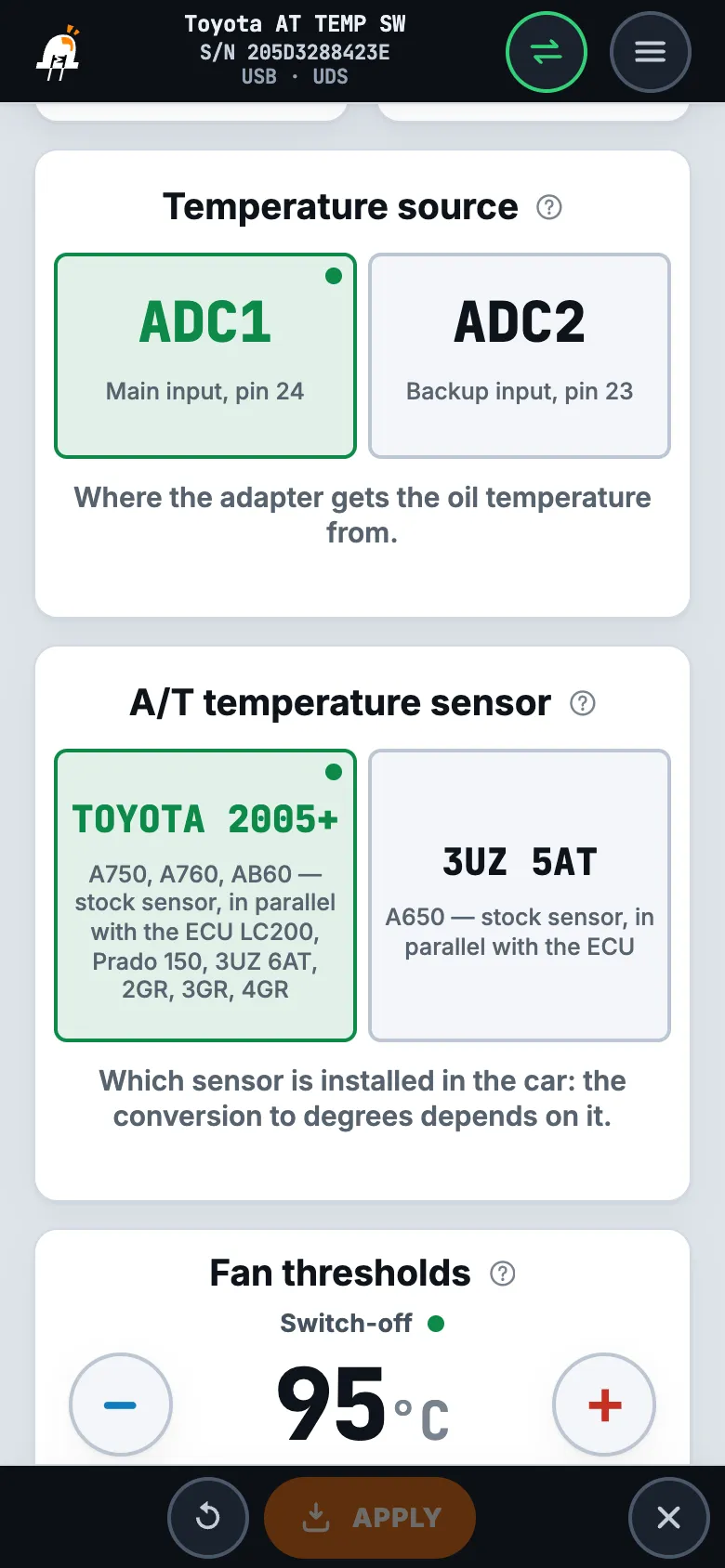
    Sensor — “A/T temperature sensor”.

    Choose the sensor of your transmission — the conversion of readings to degrees depends on it. “TOYOTA 2005+” — A750, A760 and AB60 transmissions: Land Cruiser 200, Prado 150, 3UZ with the 6AT automatic, 2GR, 3GR and 4GR engines; this is the factory setting. “3UZ 5AT” — only 3UZ with the 5AT automatic (A650 transmission); for 3UZ with the 6AT automatic — “TOYOTA 2005+”. Then “APPLY”.

    On another Toyota with a 2005-or-newer ECU, “TOYOTA 2005+” will probably work too — after installation be sure to check the temperature against a scan tool (step 4).

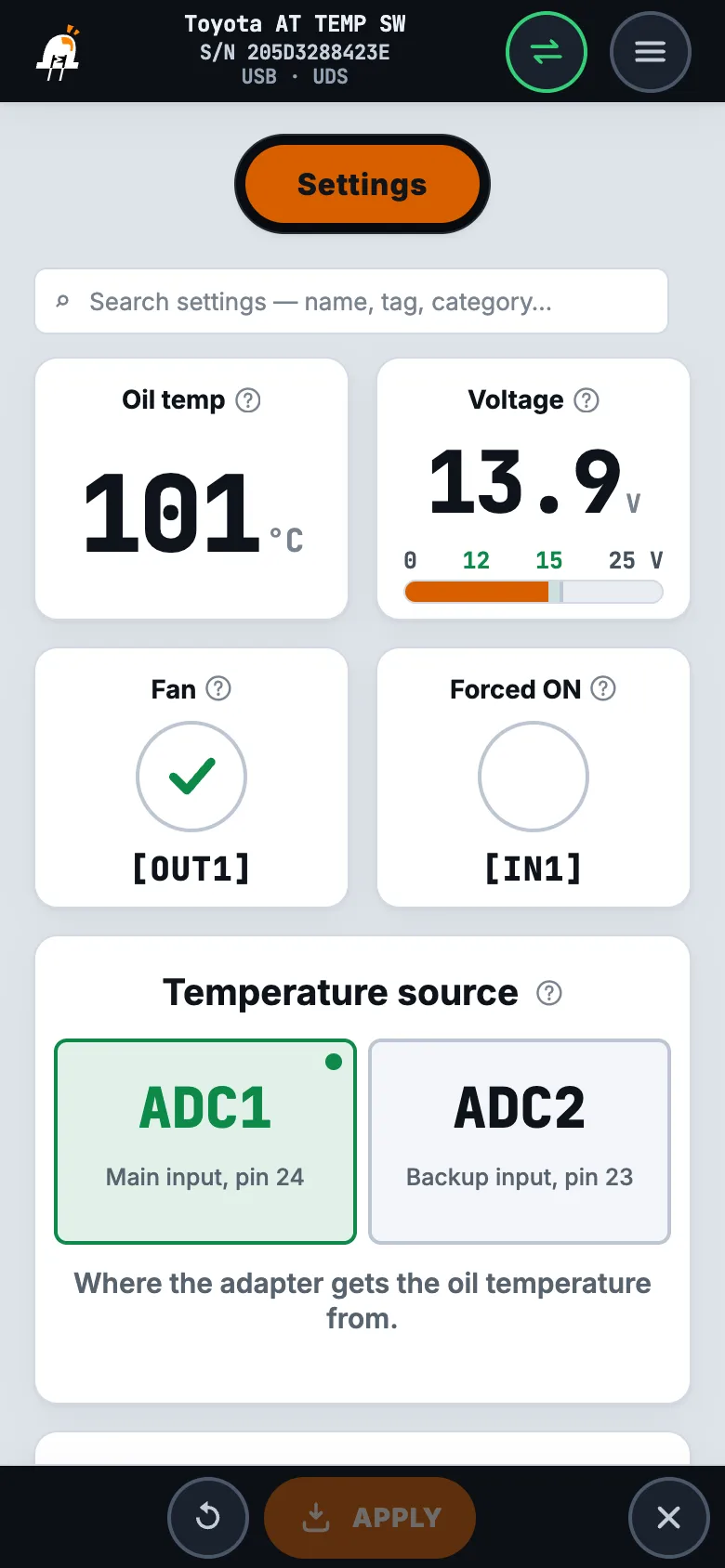
    Leave “Temperature source” at “ADC1” — the sensor on the ATF [24] pin, the factory setting. “ADC2” — only if the sensor wire has been moved to socket 23 (ATF2 [23]): Questions and answers.

    “Settings” screen: “Temperature source” and “A/T temperature sensor” Open larger
  3. 3

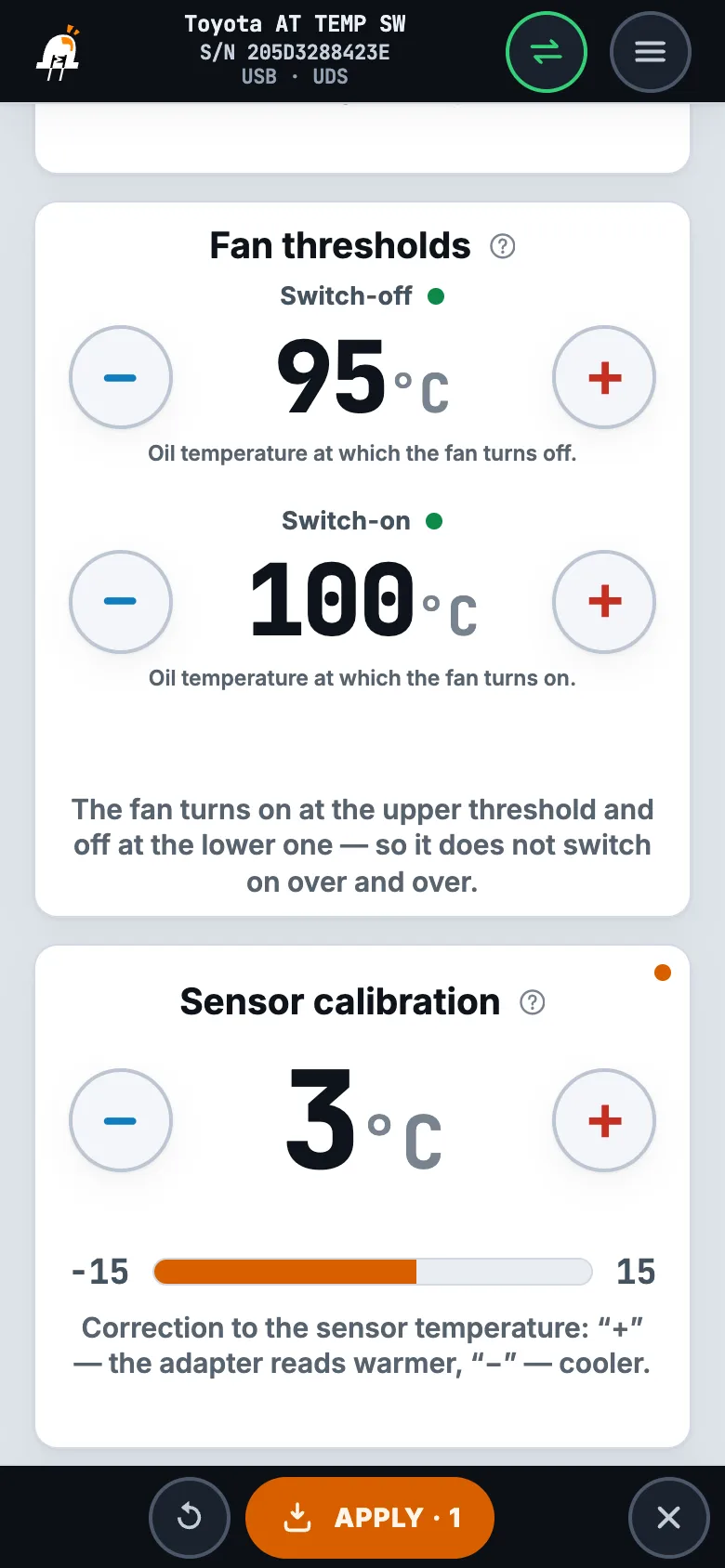
    Thresholds — “Fan thresholds”.

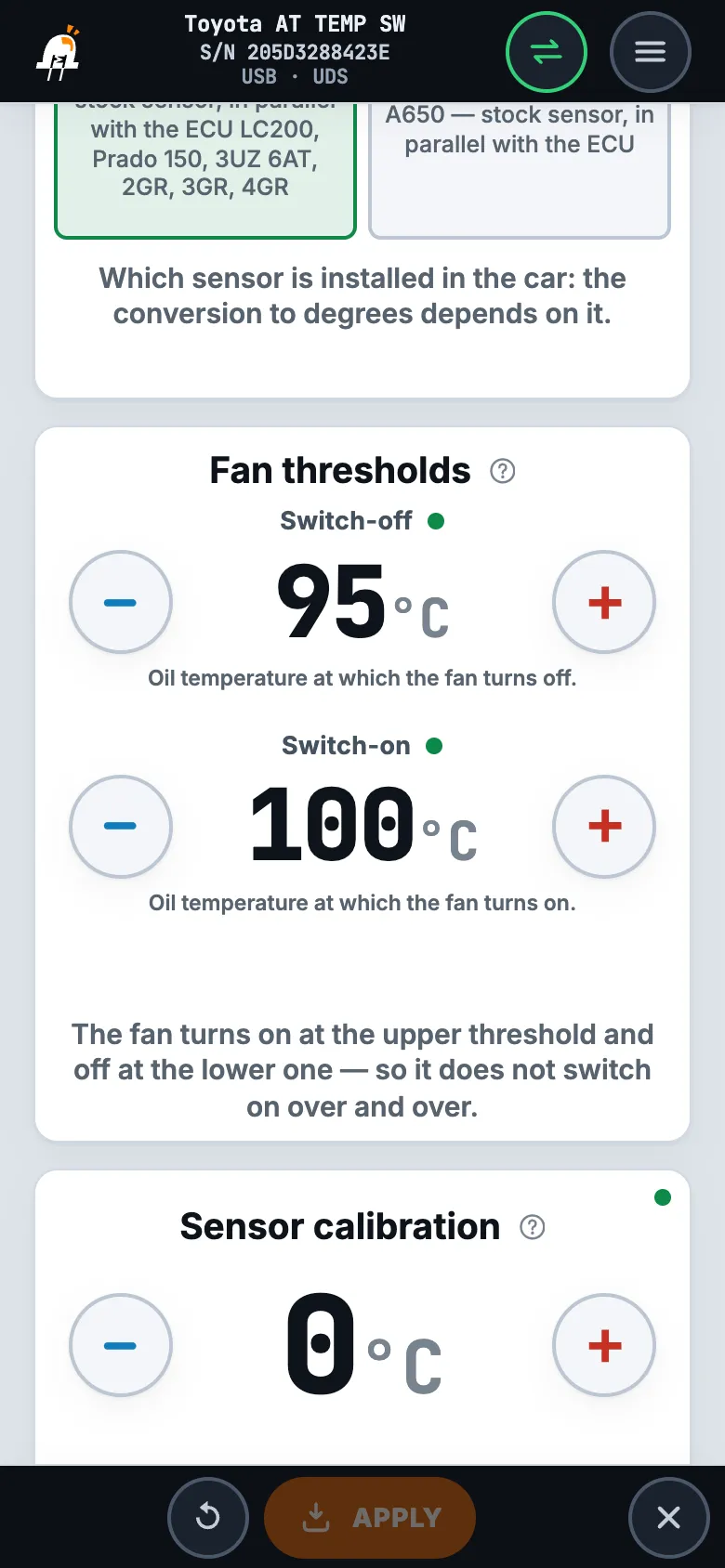
    “Switch-on” — the oil has heated up to this temperature, the fan turns on; “Switch-off” — it has cooled down to this one, the fan turns off. Factory settings — 100 and 95 °C: the fan turns on at 100 °C and runs until the oil cools down to 95 °C.

    The gap between the thresholds keeps the fan from switching on and off over and over at the same temperature. A sensible gap is 3–10 °C: larger — the fan turns on less often, but the oil has time to get hotter; smaller — it turns on more often, and the temperature holds steadier. “Switch-off” is always at least 1 °C below “Switch-on” — otherwise the app will not allow it. Limits: switch-on 60–130 °C, switch-off 59–129 °C. Then “APPLY”.

    “Settings” screen: “Fan thresholds” — “Switch-off” and “Switch-on” Open larger
  4. 4

    Calibration — “Sensor calibration”, against a scan tool.

    The adapter comes calibrated for the stock sensor, usually no correction is needed. It is useful if the “Oil temp” tile differs from the scan tool. The reference is the ECU itself: compare with the transmission oil temperature that the ECU reports to the scan tool. The adapter ground GND [1] is on pin E1 of the ECU: with another ground the readings will differ, and a correction does not fix that well.

    • Warm up the car to the operating oil temperature — about 80–100 °C.
    • Connect the scan tool and open the transmission oil temperature; in the app — the “Oil temp” tile at the top of the screen.
    • Wait until both numbers stop changing: the ECU heavily averages the oil temperature and catches up with it with a delay — comparing on the fly gives a wrong correction.
    • Enter the difference in “Sensor calibration”: the adapter shows less than the scan tool — plus, more — minus (scan tool 100 °C, adapter 97 °C — “+3”). Tap “APPLY” — the tile should match the scan tool.
    “Settings” screen: “Sensor calibration” Open larger
  5. 5

    Check — the tiles at the top of the screen.

    The tiles at the top of the “Settings” screen show what the adapter sees and does right now:

    • “Oil temp” — transmission oil temperature from the stock sensor ATF [24], with the calibration already applied. “No data” — the adapter does not see the sensor. Without the ignition there is no link with the sensor — turn on the ignition first; “No data” with the ignition on — the ATF [24] wire is not connected, broken or shorted to ground, and the fan runs all the time — Questions and answers.
    • “Voltage” — voltage at the adapter itself, normally 12–15 V. It also depends on the ground: lower than at the battery — check ground GND [1] and power +IGN [13].
    • “Fan” — a check mark appears in the circle when the adapter has switched on the relay on RELAY [7]; RELAY 2 [8] switches on together with it.
    • “Forced ON” — a check mark appears in the circle while the FORCE [17] wire is grounded: the fan then runs at any temperature. Button check: press it — the check mark appears on both tiles.
    “Settings” screen: the “Oil temp”, “Voltage”, “Fan” and “Forced ON” tiles Open larger

Questions and answers

Fan

The fan runs all the time and does not turn off
Most often the adapter does not see the oil temperature: the orange LED flashes in series of 10, the “Oil temp” tile shows “No data”. Without the temperature the adapter turns the fan on by itself so that the transmission does not overheat, and the thresholds do not apply. Check the ATF [24] wire: it goes to the signal wire of the sensor, not to its ground, it is not broken and not shorted to ground. The red LED is on — the fan is switched on by the FORCE [17] wire: it is grounded.
The oil is hot, but the fan does not turn on
Look at the “Fan” tile and the blue LED. Check mark on the tile and the blue LED lit — the adapter has switched on the relay: check the relay and the fan circuit — the relay coil is between RELAY [7] and +12 V, the output jumper is “−” (Jumpers), the fan is powered through the relay contacts. No check mark and the blue LED off — the oil has not yet reached the “Switch-on” threshold: compare “Oil temp” with the scan tool (Setup, step 4) and check the thresholds (step 3). To check the circuit without warming up: ground FORCE [17] — the fan should start.
The fan switches on and off too often
Widen the gap between the thresholds: “Switch-off” 5–10 °C below “Switch-on” (Setup, step 3). The fan will turn on less often and run longer, and the oil will cool down more each time.

Temperature

The temperature in the app differs from the scan tool
First the ground: GND [1] is on pin E1 of the ECU, through another ground the reading drifts. Then the sensor: “A/T temperature sensor” should be set to the sensor of your transmission (Setup, step 2) — if the temperature shifted by tens of degrees after changing the value, the wrong one was selected. Match a small constant difference with “Sensor calibration” on a warmed-up car (step 4). A difference of more than 15 °C, or one that changes with temperature, cannot be fixed with a correction — contact us.
No temperature although the wire is in place — is there a backup input
Yes. Move the terminal of the ATF [24] wire from socket 24 to socket 23 of the adapter connector (ATF2 [23]; there is no wire there from the factory), in the app set “Temperature source” to “ADC2” and tap “APPLY”. The choice takes effect at once, no restart is needed. If there is no temperature on ADC2 either — check the wire and the sensor itself (the question “The fan runs all the time”).

Phone connection

The app does not see the adapter or the connection drops
The cable must be USB Type-C with data transfer, not charge-only. The adapter is set up only over the cable.

Board

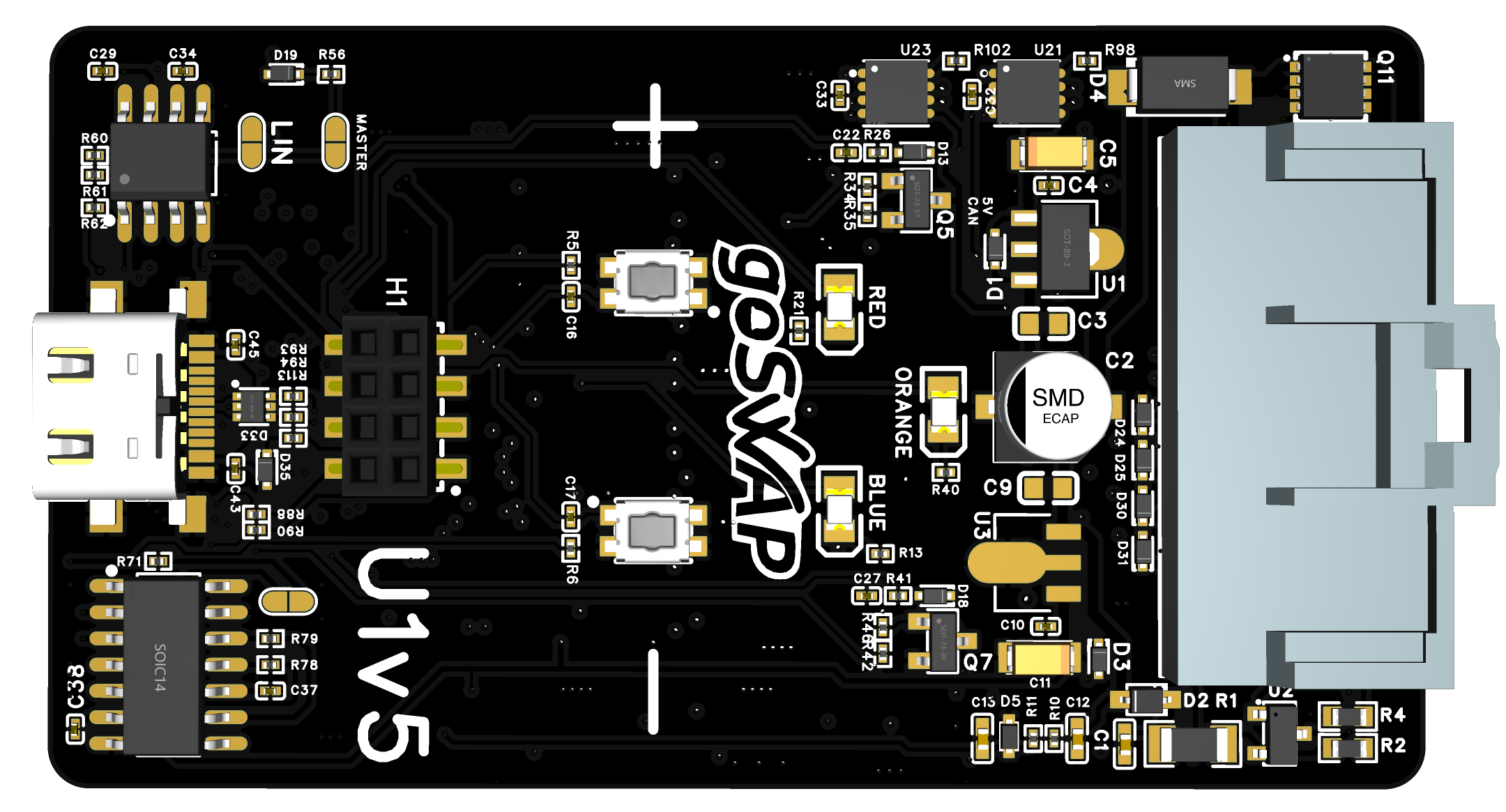
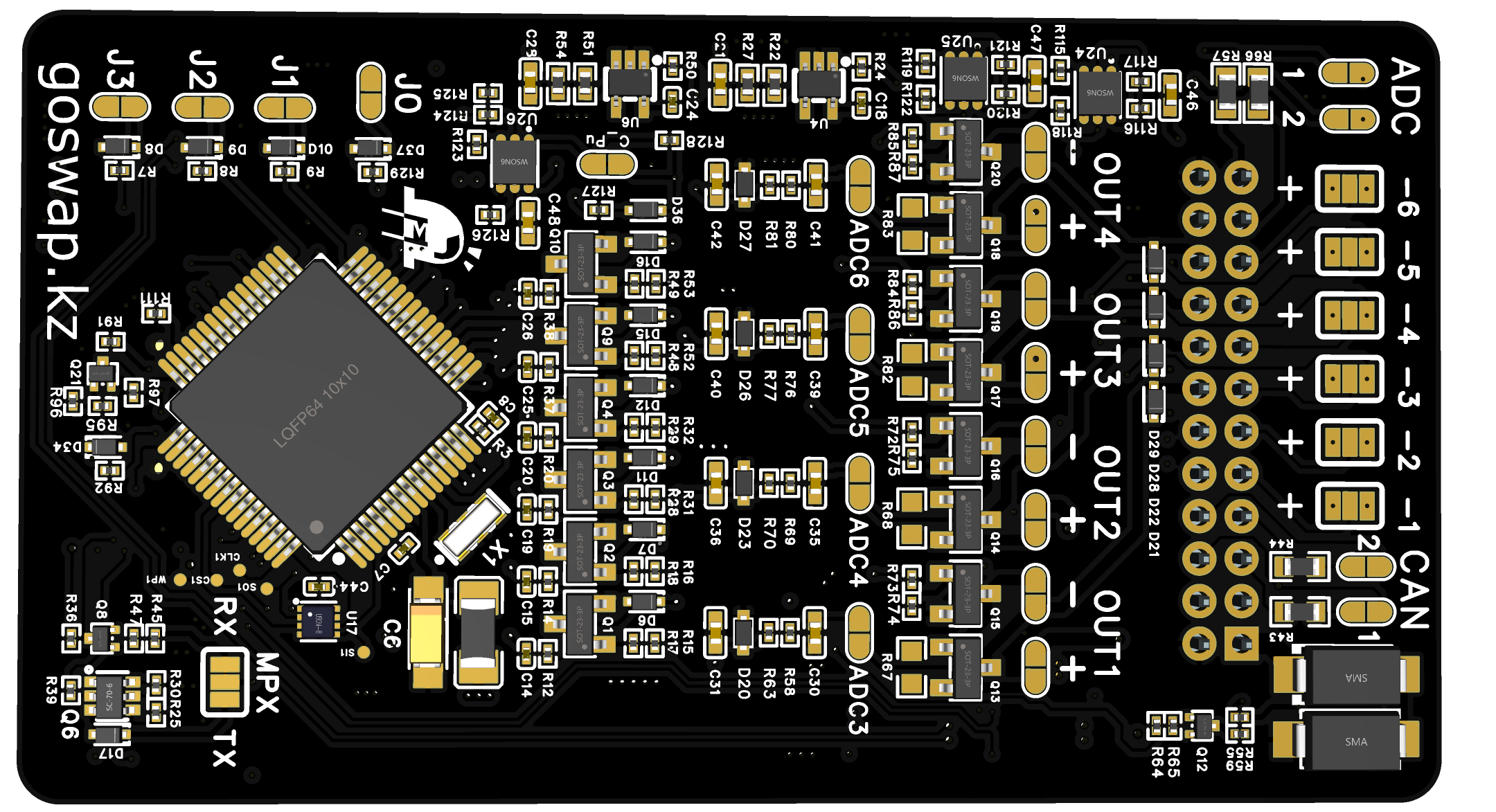
Hover or tap an element to see its function

U1v5 — верх
U1v5 — низ

On — the fan is forced on: the FORCE [17] wire is grounded.

Off — the temperature sensor is online. Flashes in series of 10 — the adapter does not see the sensor: check the ATF [24] wire; the fan runs all the time meanwhile.

On — the fan relay is on. Together with red — switched on by the FORCE [17] wire; together with orange flashing in series of 10 — because the adapter does not see the sensor; blue alone — by temperature.

USB Type-C — for a phone with the GoSwap app: setup and firmware update. No CAN interface is needed.

Polarity of inputs IN1…IN6 — one jumper per input: [+] or [—].

Polarity of outputs OUT1…OUT4: [+] or [—].

During a firmware update red, orange and blue light up in turn, in a circle.

More about the board

Goes well with 

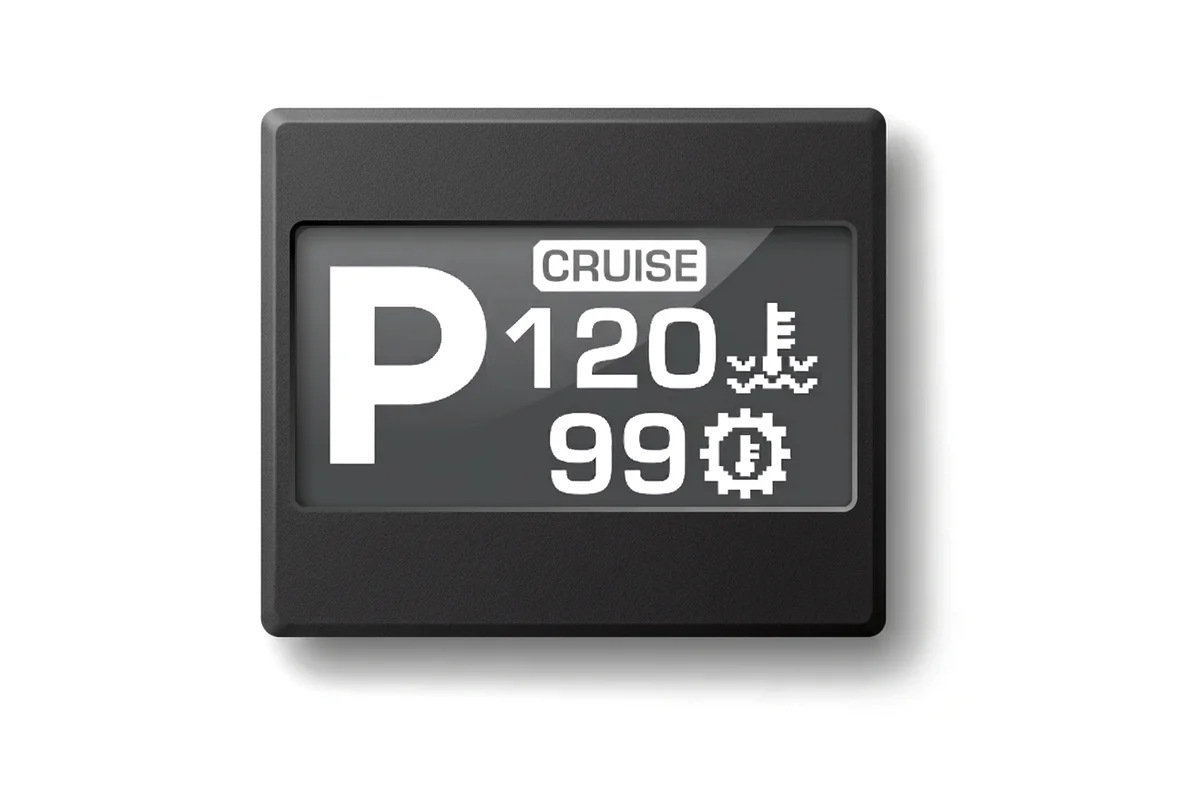
Our Go Disp display shows the transmission oil temperature on the road — a small screen in the cabin or in the instrument cluster.

Question about wiring?

Outside working hours

We’re available Mon–Fri, 12:00 to 17:00 Almaty time. Message us on WhatsApp — we’ll reply as soon as we’re back at work.

Message on WhatsApp Call anyway